


Choose Your Mac’s Audio Output Device
Last updated: Oct 27, 2026
1780
views

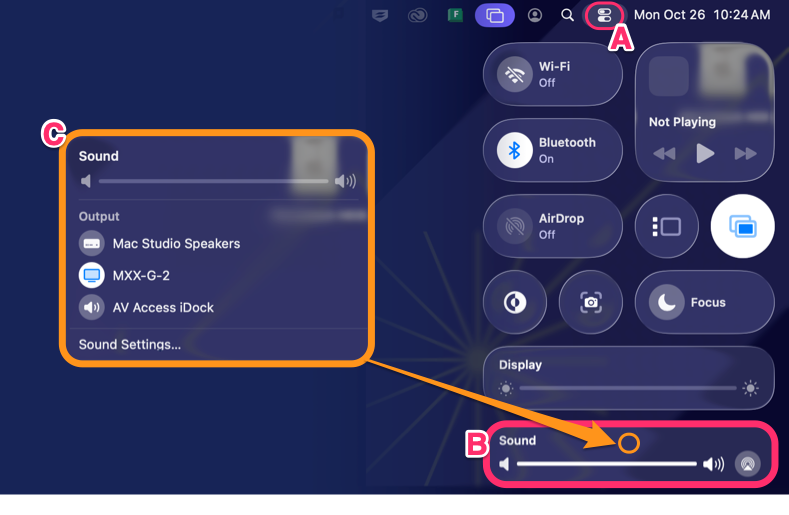
Use the following steps to route audio to the desired output device
-
Click the Control Center icon (two sliders) in the upper-right corner of the menu bar.
-
Click Sound.
-
Select your desired audio output device.
Note: In the 4th-floor computer labs, select MXX-G-2 to route audio to the ceiling-mounted speakers.

