


Mirror Your Display in Windows 11
Last updated: Oct 27, 2026
2452
views

To display the same content on your computer screen and a second display or projector, follow these steps:
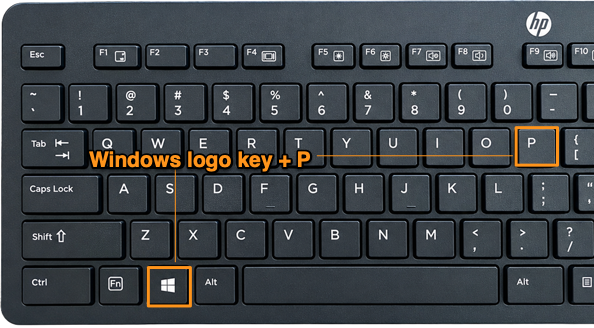
1. Press the Windows logo key  + P on your keyboard.
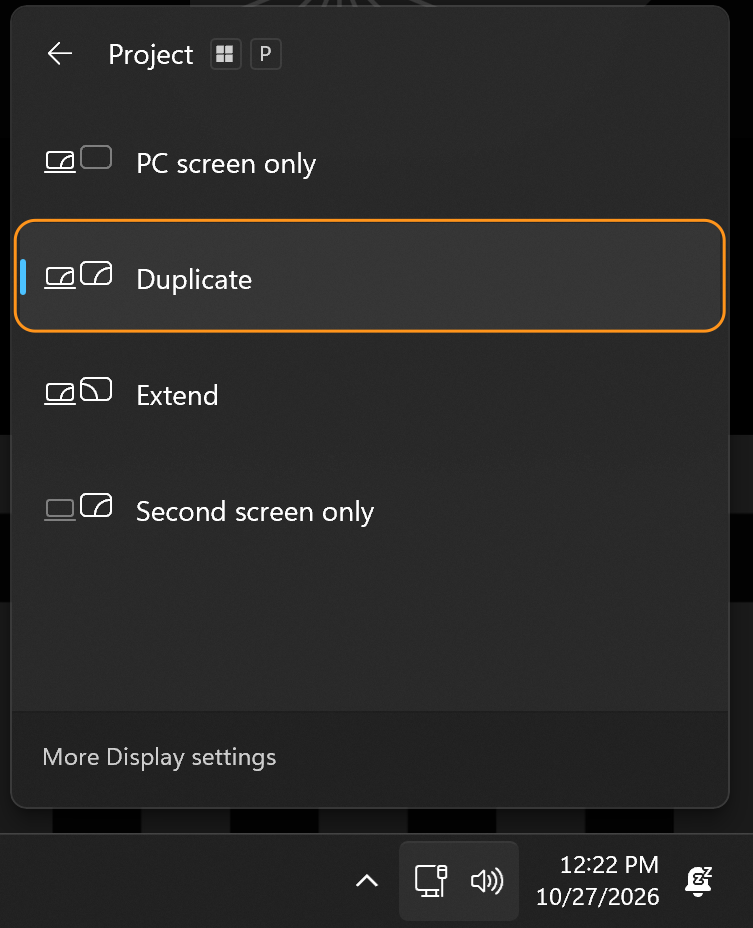
2. Select Duplicate from the projection options.
NOTE:
-
Duplicate: Displays the same image on both your computer screen and the second display or projector.
-
Extend: Expands your desktop across both screens, allowing you to use each display as a separate workspace.

