


How to Place and End a Call on a TPx Polycom Phone
Last updated: Jul 20, 2026
1292
views

This article explains how to place and end a call using a TPx Polycom wall-mounted phone in the classrooms.
Placing a Call
You can place a call using either the handset or speakerphone.
Method 1: Standard Call
-
Lift the handset or press the Speaker button.
-
Dial the phone number.
-
Press the Dial button to place a call. NOTE: When calling an internal Otis number, you only need to dial the last four digits.
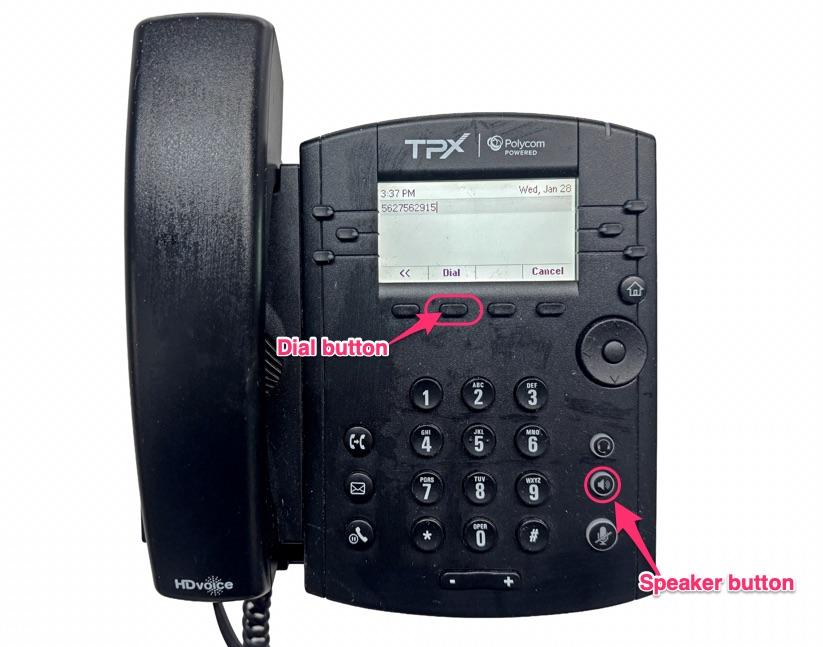
Method 2: Pre-Dialing
-
While the phone is on-hook, dial the phone number.
-
Press the Dial button to initiate the call.
Ending a Call
To end an active call, use one of the following methods:
-
Replace the handset.
-
Press the Speaker button again.
-
Press the End Call soft key.

