1270
1270
This document provides guidance for IT and Student Lab Technicians on verifying that projector connections are properly restored and operational after cable disconnection.
When to Use This Article
Use this guide when:
-
A projector is not detected by the classroom computer
-
Cables were found unplugged or moved
-
Faculty reports no image, no mirroring, or no signal
-
Projector was recently disconnected for laptop or personal device use
Room 511 – Cable Connections
-
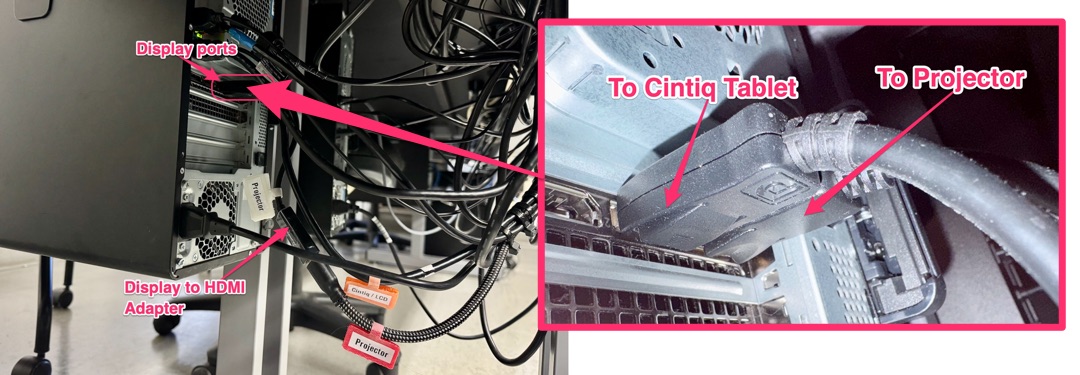
The HDMI cable from the projector (labeled “Projector”) is connected to a DisplayPort-to-HDMI adapter(also labeled “Projector”), which is then connected to the PC’s DisplayPort.
-
The display cable from the Cintiq (labeled “Cintiq / LCD”) is connected directly to the PC’s DisplayPort.
Smart Classrooms and Computer Carts
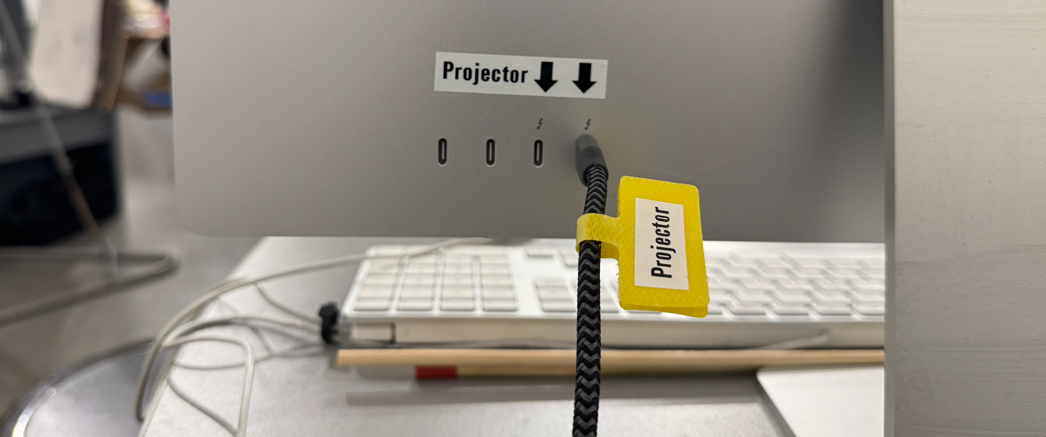
The projector cable and port are clearly labeled to help ensure correct reconnection
-
Connect the cable labeled “Projector” to one of the ports labeled “Projector.”